.png)
When an SAP Integration Suite scenario uses a Dispatcher iFlow that triggers two or more downstream iFlows, each producing its own output, testing becomes more complex than a standard single-flow scenario. To capture and validate outputs from these separate downstream iFlows, you need to configure dedicated Automation Objects for each one - allowing the test to correctly fetch and compare the input and output payloads across the entire chain, rather than just the entry point.
Scenario:
In SAP Integration Suite there is a Dispatcher iFlow:
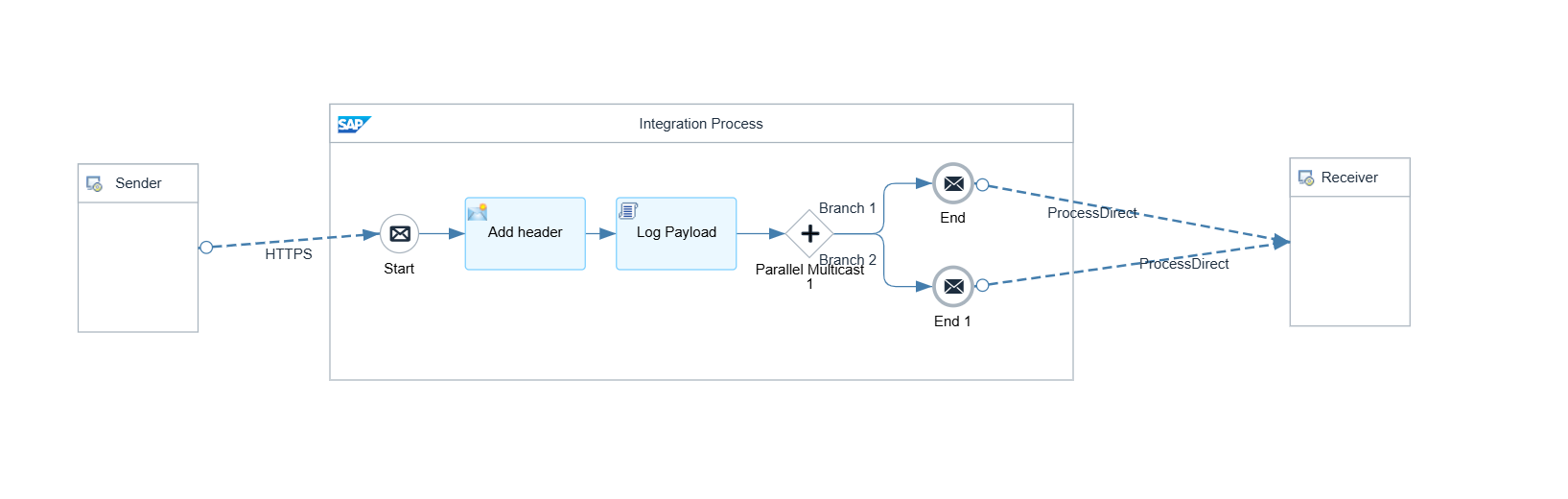
The Dispatcher iFlow calls 2 other iFlows:
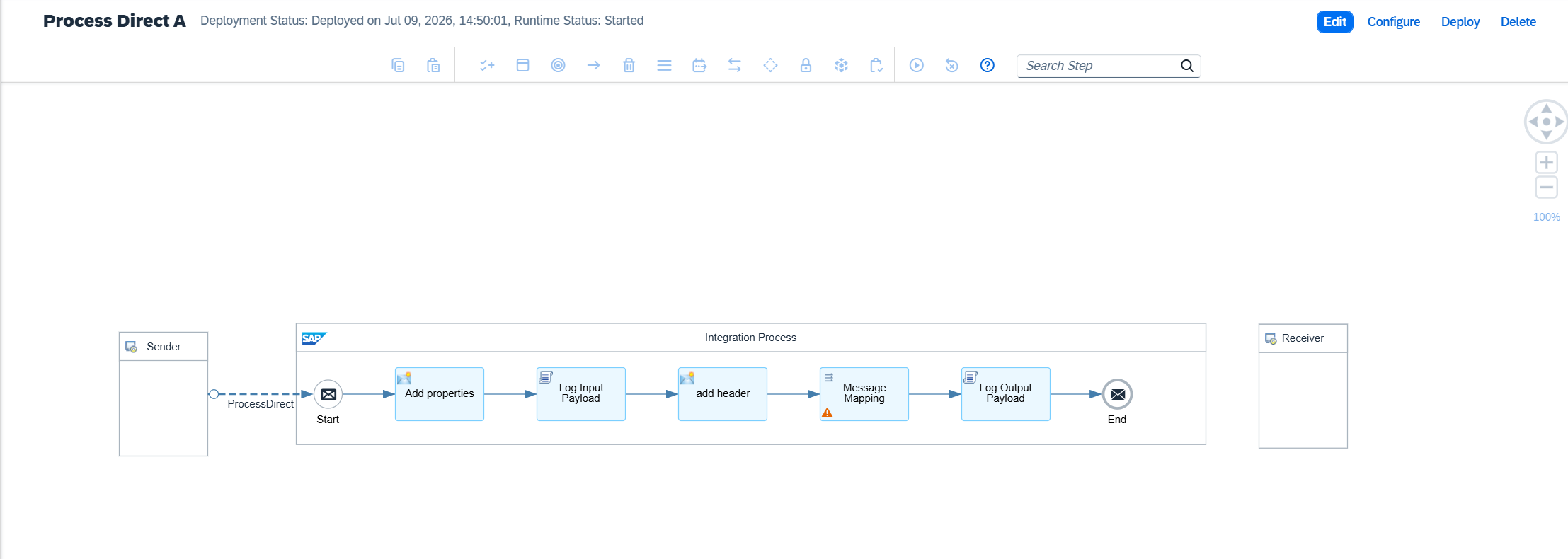
Scenario A:
Scenario B:
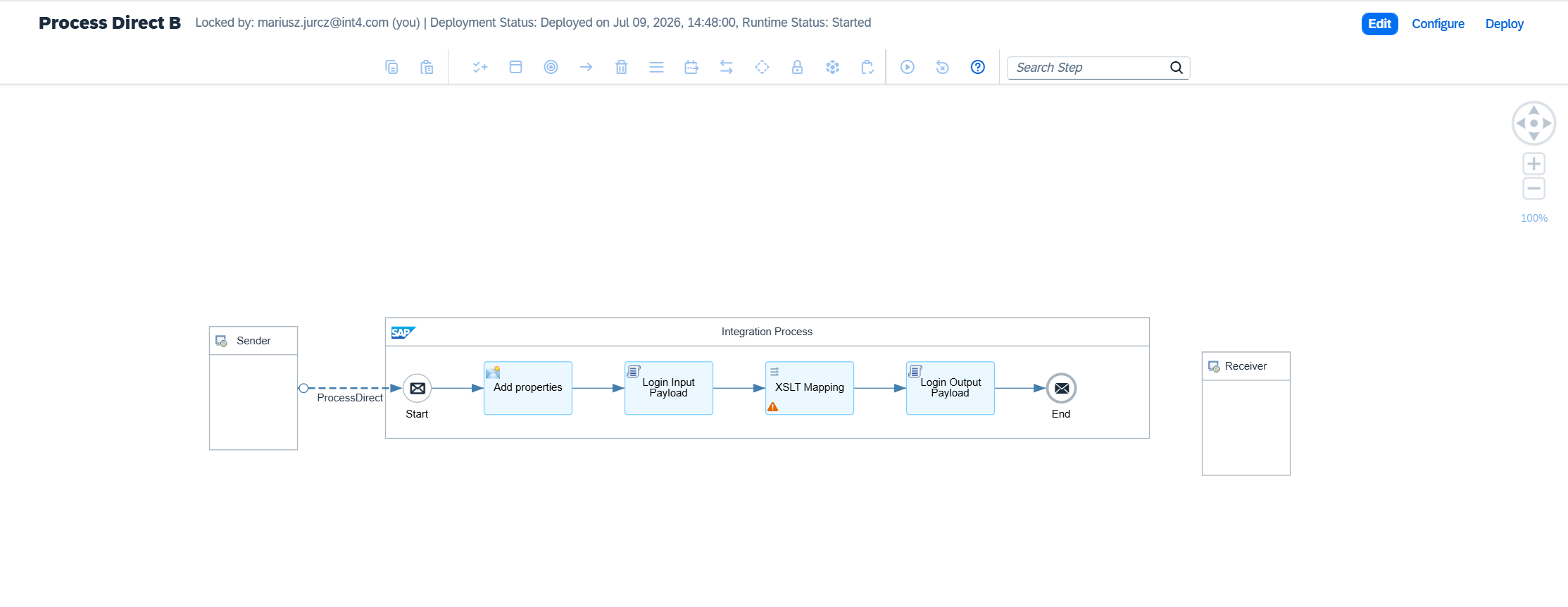
If you want to fetch outputs from different iFlow you need to create Automation Object for output iFlows ( Scenario A and Scenario B)
The first Automation Object should be created with type 12 (SAP CPI E2E Inbound). Example configuration:
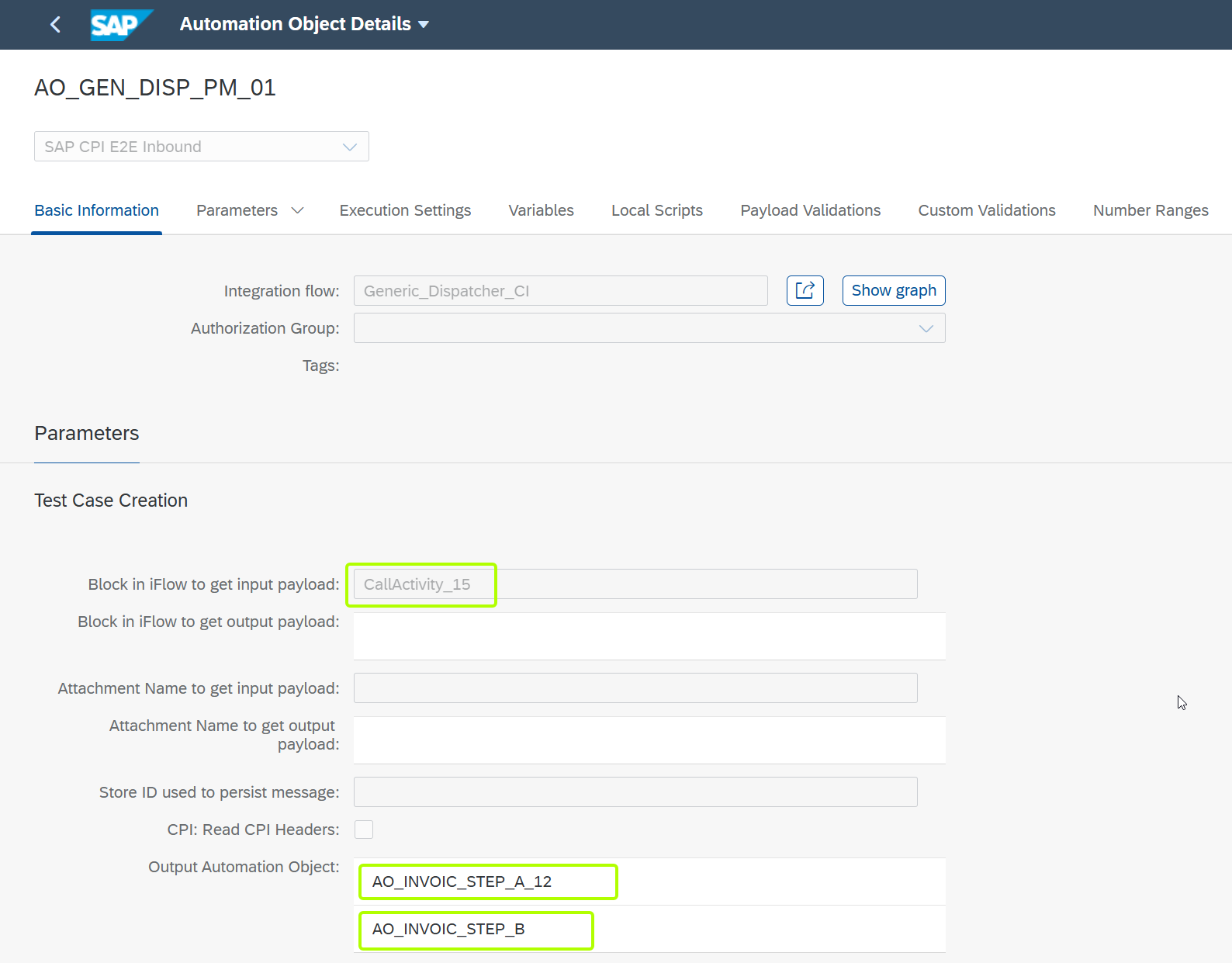
You need to point the “Block in iFlow to get input payload”, because we need to fetch output payloads from different iFlows than the iFlow that we injected the message.
Next, you need to provide Output Automation Objects. You need output automation object for each iflow from which potentially you can get the message after mapping (in our example - one for scenario A and one for scenario B).
Output Automation Object can be type 13 (SAP CPI E2E Outbound) or type 12 (SAP CPI E2E Inbound)
Example configuration of Output Automation Object:
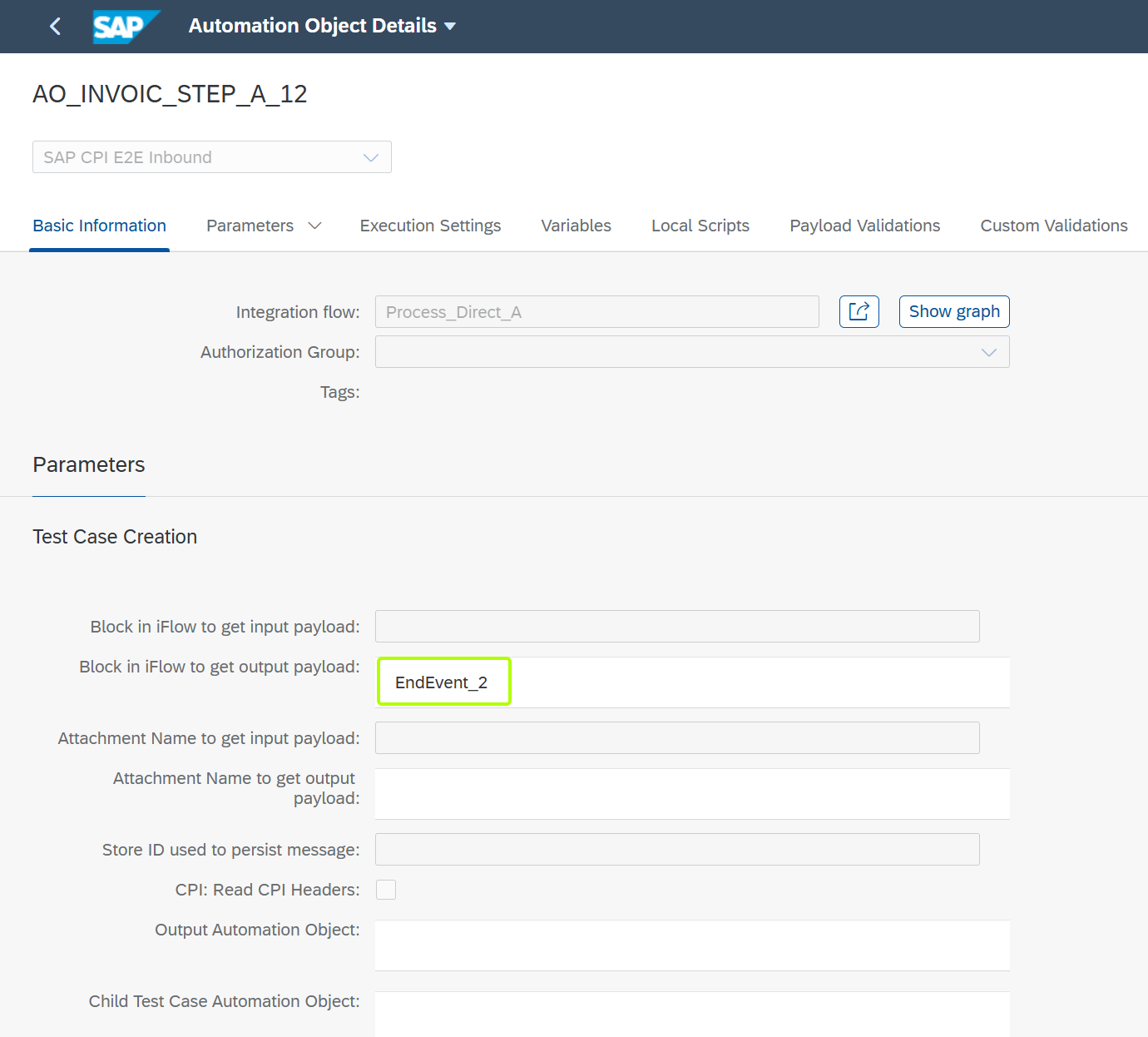
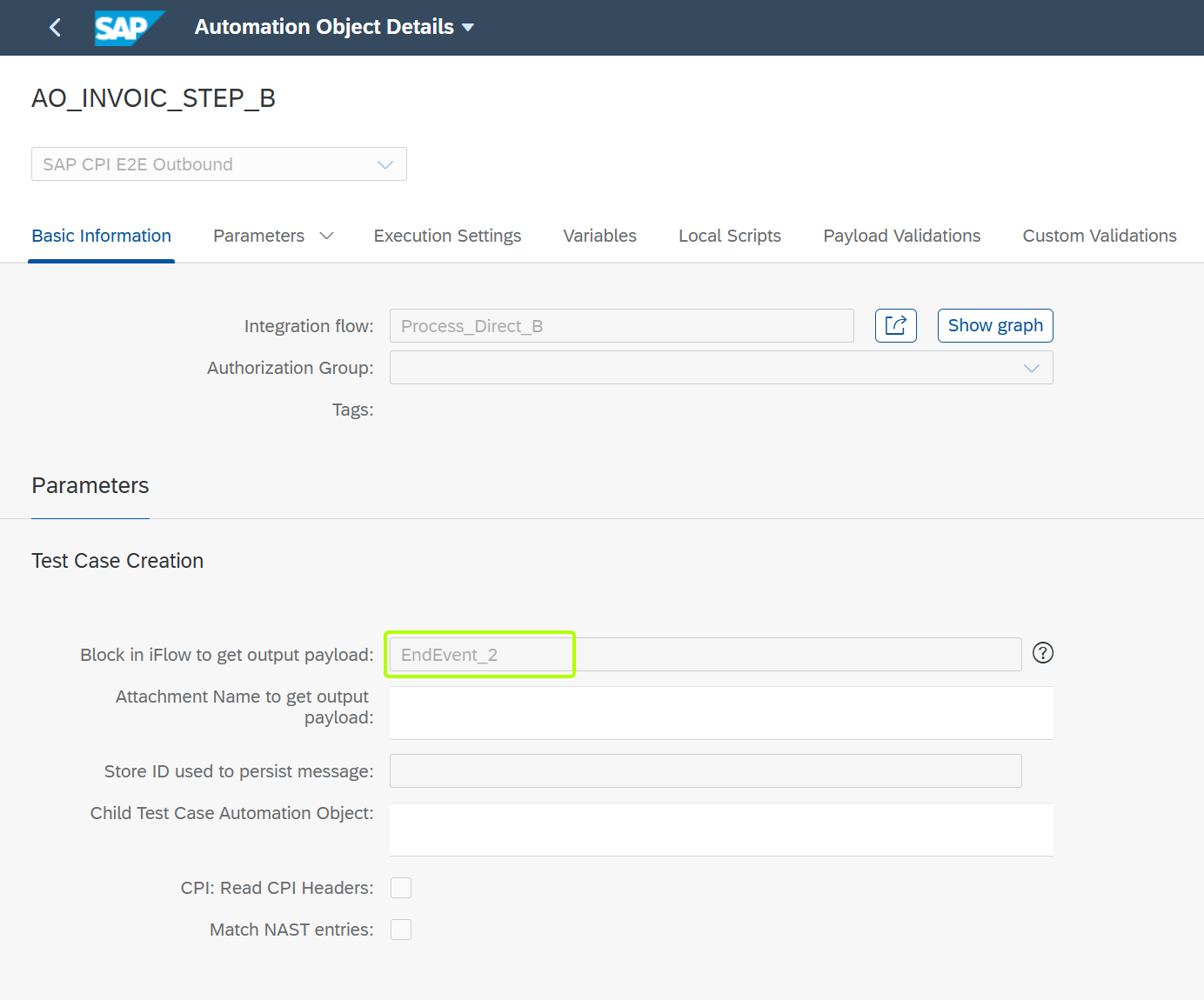
The relevant information is “Block in iFlow to get output payload”, then correct message will be fetched from SAP Integration Suite in message comparison.
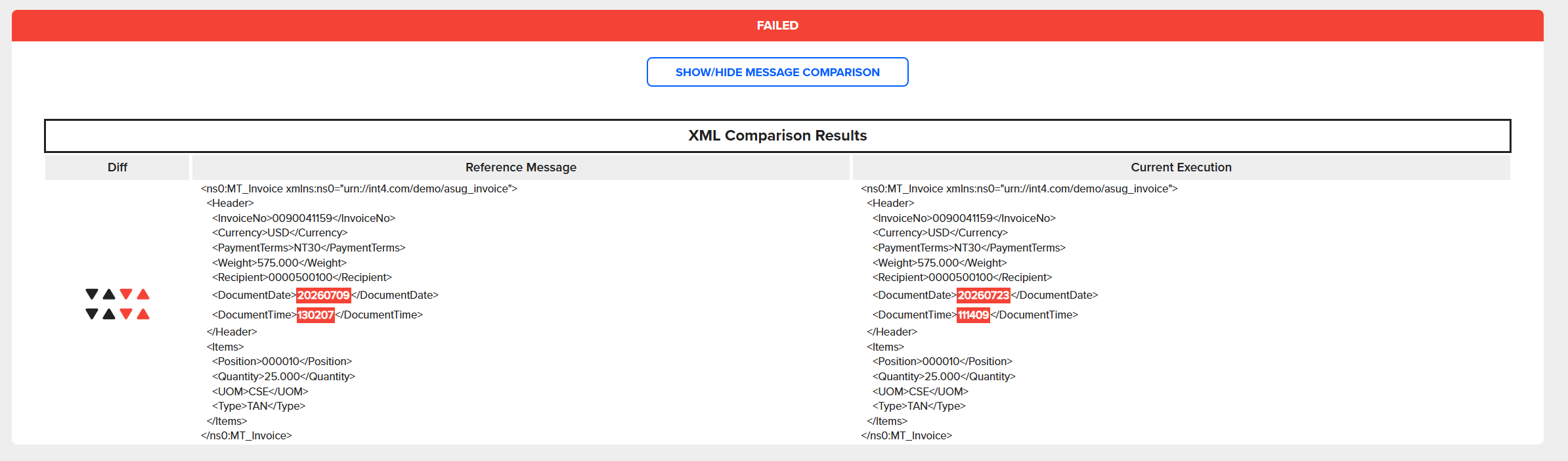
Example of Test Execution of iFlow with many outputs from different iFlows:
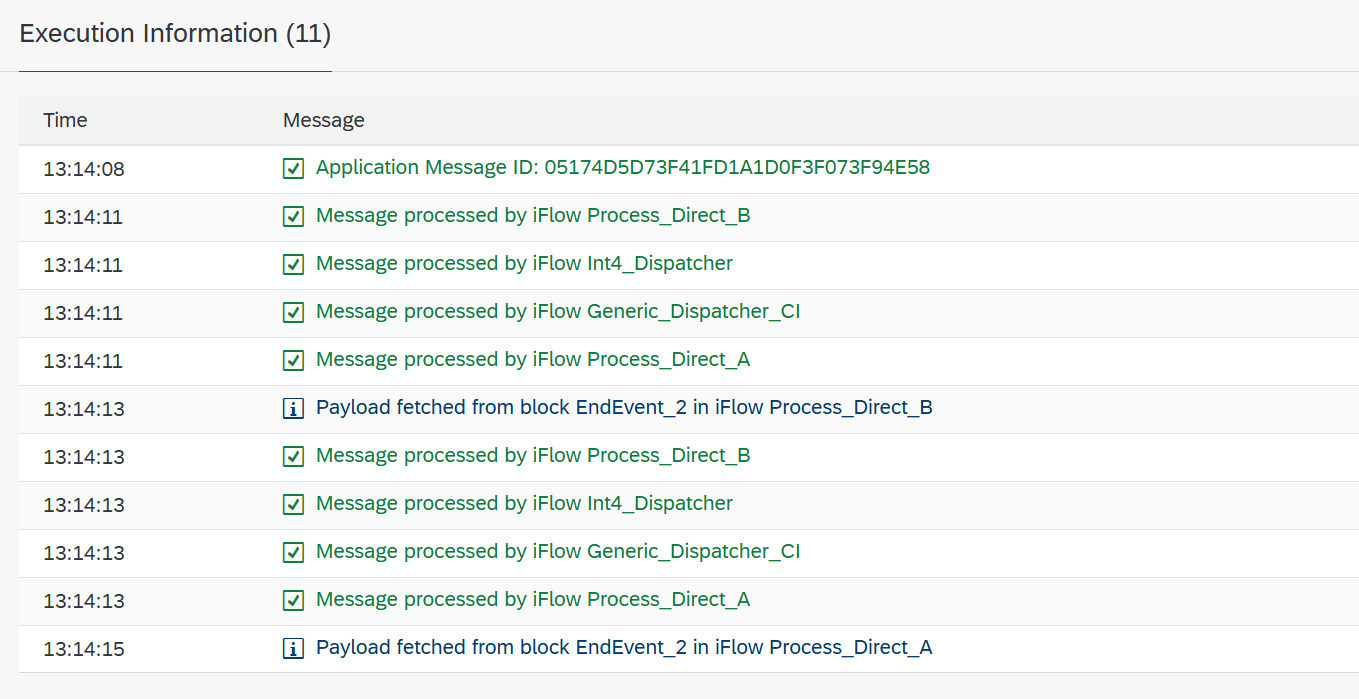
First output:
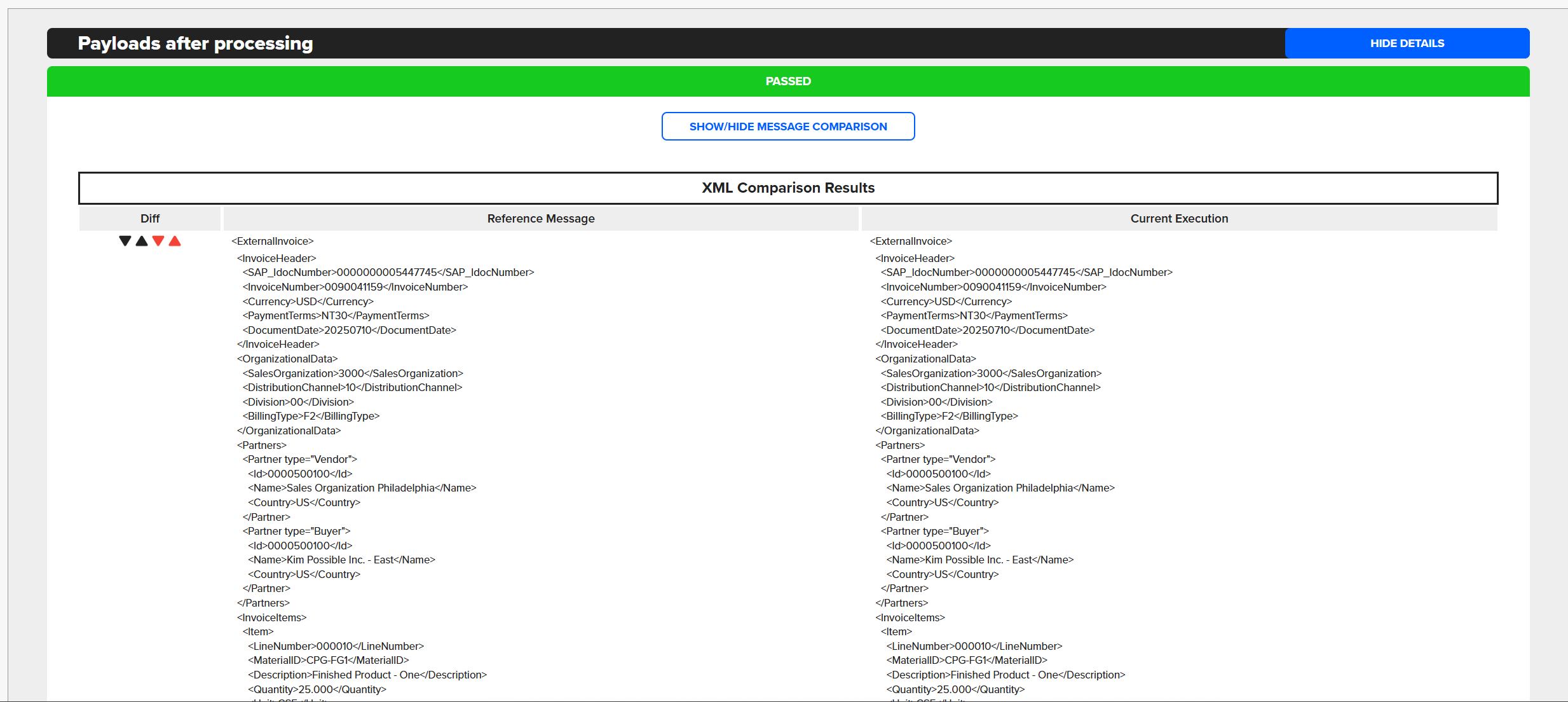
Second output:
Summary
This page explains how to test SAP Integration Suite iFlow chains where a single Dispatcher iFlow triggers multiple downstream iFlows, each generating a separate output. It covers how to configure Automation Objects — one for the input (type 12, SAP CPI E2E Inbound) and one for each output iFlow (type 12 or 13) — so the correct payloads are fetched and compared for every branch of the chain. Includes example configurations and a sample test execution with two outputs.
More details can be found:
https://help.int4.com/int4-suite-knowledge-center-library/3.15/sap-cpi-e2e-inbound
https://help.int4.com/int4-suite-knowledge-center-library/3.15/sap-cpi-e2e-outbound