.png)
Int4 Suite removed the dependency on the external systems and performs automated testing. You can use it in different ways depending on what you actually need.
In this guide we describe three approaches for SAP backend validation with Int4 Suite. The approach you pick depends on your role, your goal, and the level of validation your project actually requires. The good news - you don't have to commit to one. You can start with the simplest one and grow into the next one as your project matures.
Approaches summary
|
|
Approach 1 |
Approach 2 |
Approach 3 |
|---|---|---|---|
|
What is validated |
Nothing - pure simulation |
Business document posting in the SAP Backend |
Middleware processing and Business document posting in the SAP Backend |
|
Removes dependency on external system |
✅ |
✅ |
✅ |
|
Detects SAP backend issues |
❌ |
✅ |
✅ |
|
Detects middleware processing issues |
❌ |
❌ |
✅ |
|
Setup effort |
Lowest |
Medium |
Medium |
Approach 1 - Simulation for manual or E2E testing
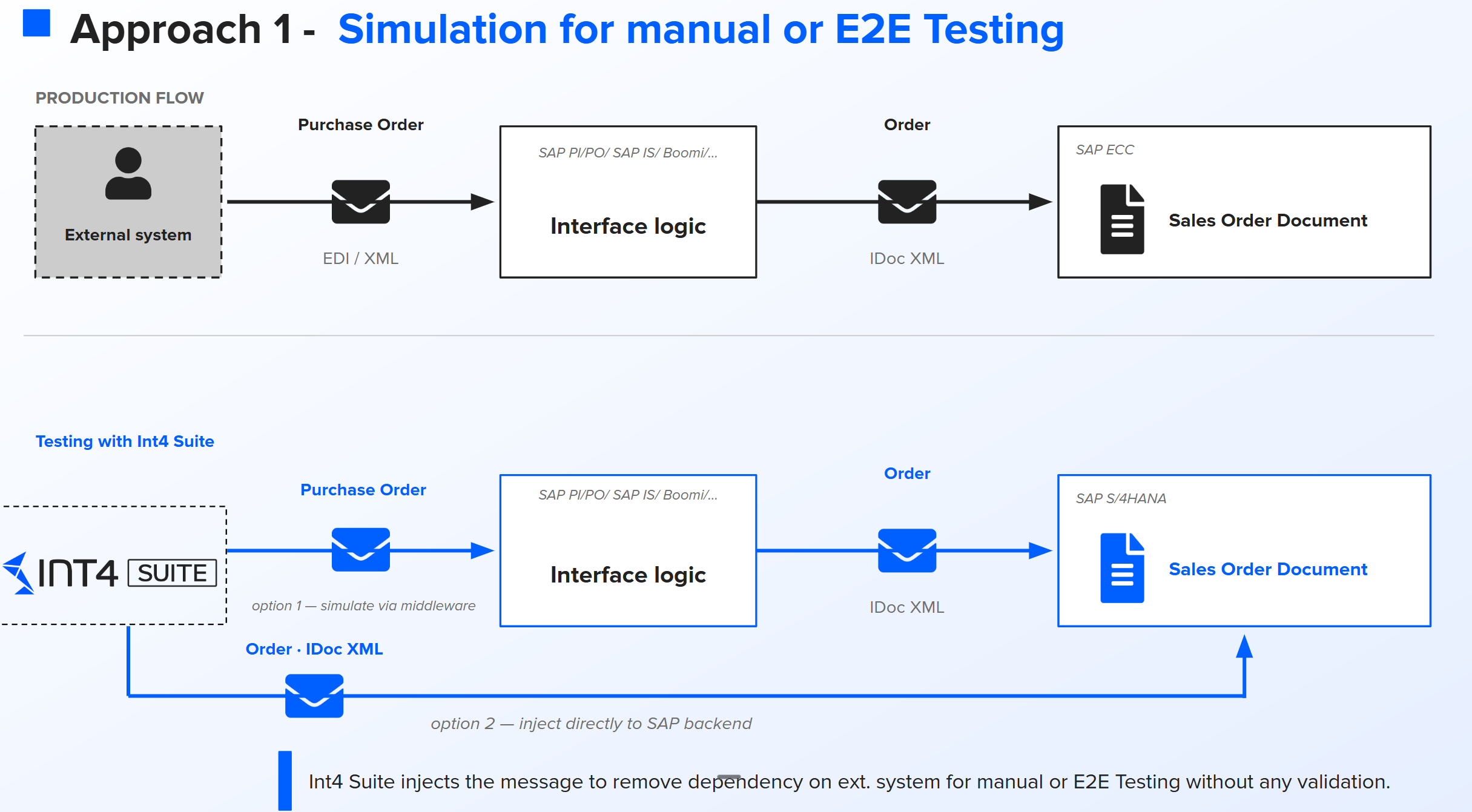
Your external system is not available in your test environment. You want to simulate message without any automated validation.
How it works
Int4 Suite simulates the production Purchase Order on your behalf. You have two options:
-
Option 1 - Send through the middleware. Int4 Suite injects the EDI message into the integration platform (SAP PO, SAP Integration Suite, Boomi, etc). The middleware processes it like in production and forwards the IDoc to SAP.
-
Option 2 - Inject the IDoc directly into the SAP backend. No middleware involved. The IDoc lands straight in SAP and the Sales Order is posted.
Which option you choose depends on whether the middleware is in scope of your test or not.
Approach 2 - Simulation plus automated SAP backend validation
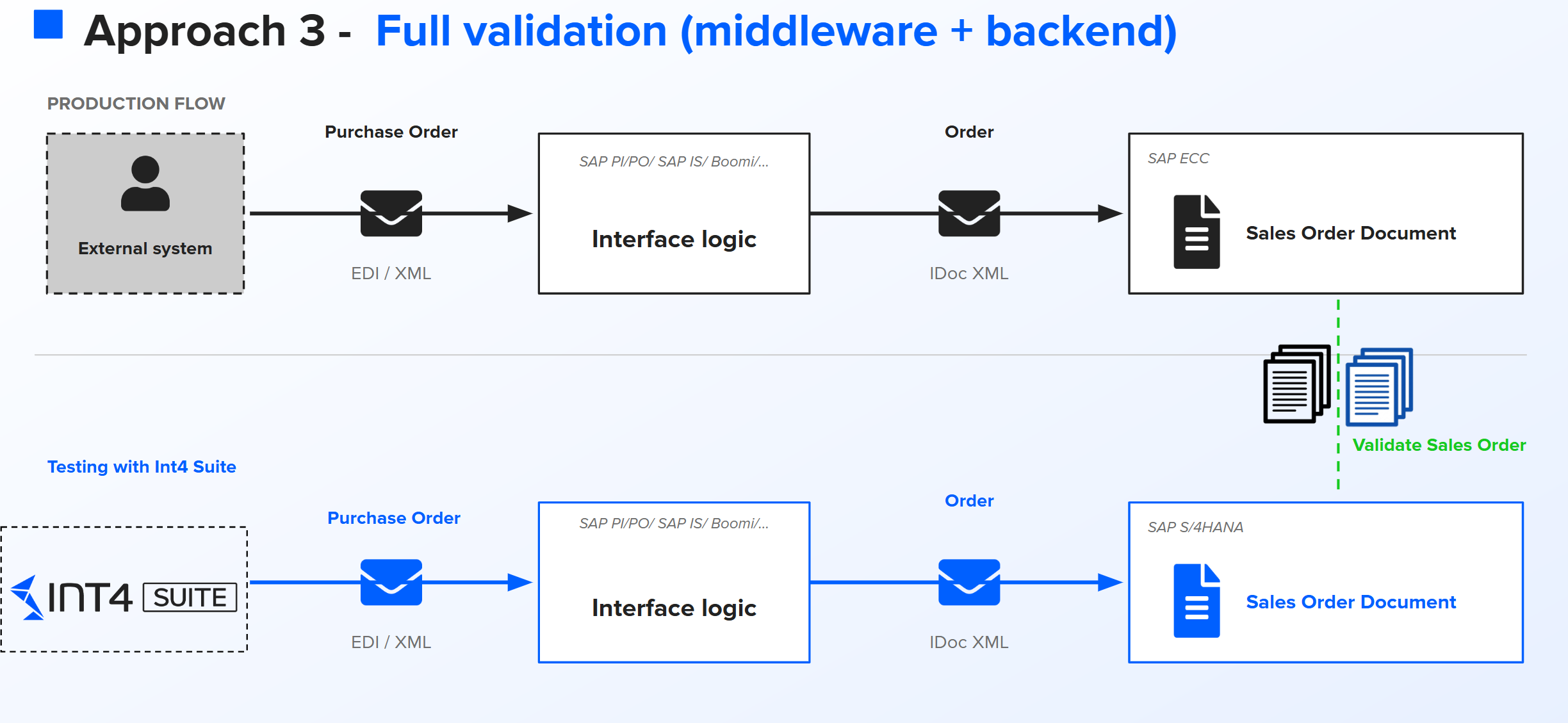
Approach 2 lets you simulate and automate validation of the business process posting in the backend.
How it works
The simulation part is identical to Approach 1. Int4 Suite injects the messages in bulk through the middleware or directly. The Sales Orders are posted in SAP S/4HANA. The difference is what happens after the documents are posted. Int4 Suite automatically compares each newly created Sales Order against the production reference document - the one captured when the original test case was collected.
Approach 3 - Full validation (middleware plus backend)
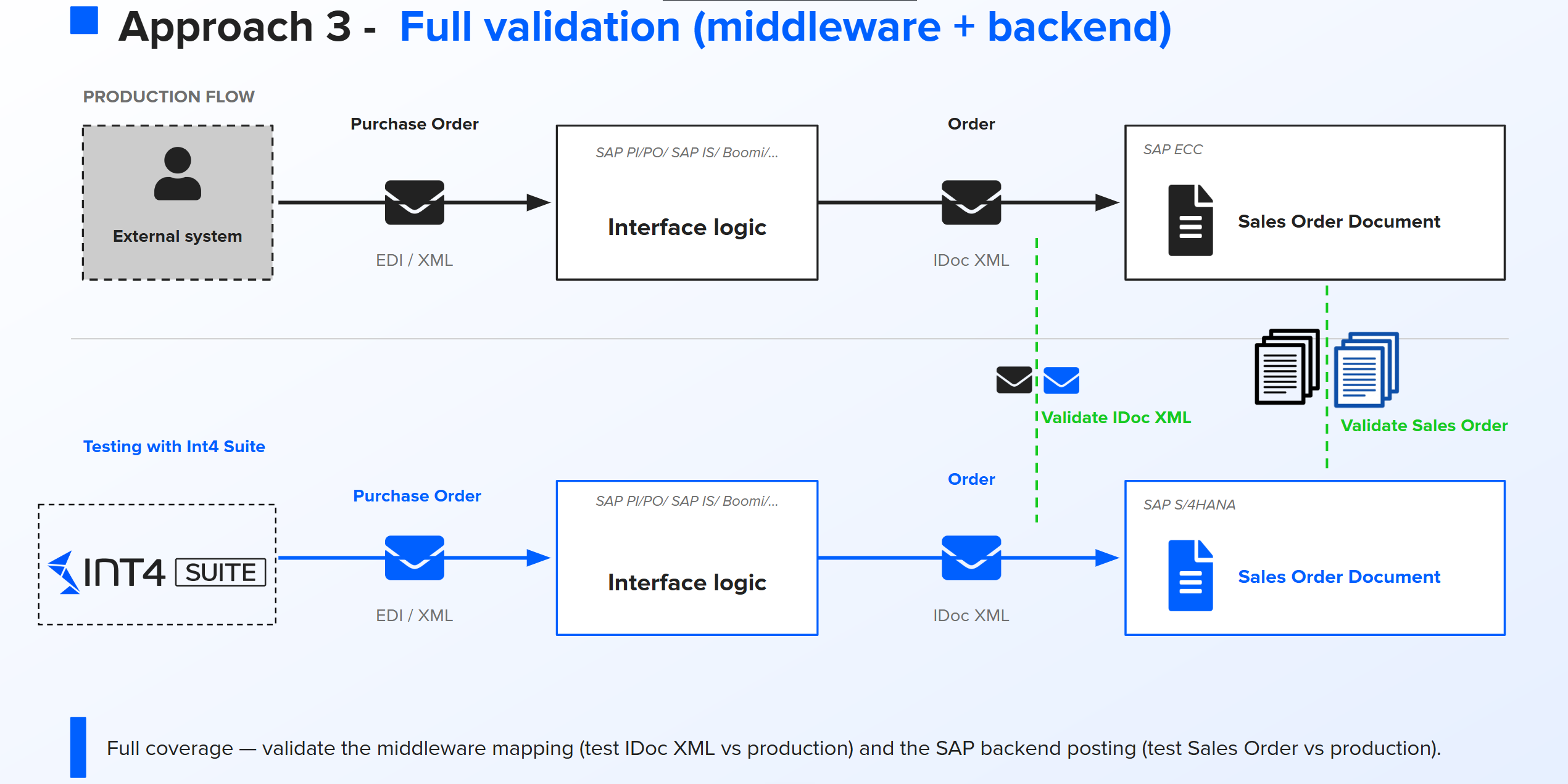
Approach 3 lets you simulate message and validation the whole process holistically with business document validation on the SAP Backend and the middleware part at the same test run.
How it works
You execute the test the same way as in Approach 2 - Int4 Suite simulates the message, the middleware processes it, the Sales Order is posted. On top of the backend validation, Int4 Suite also validates the IDoc XML generated by the middleware during the test run, against the IDoc XML from production.
So you get two validations per test case:
-
Middleware mapping validation - does the middleware still produce the same IDoc XML it produced in production for the same input?
-
SAP backend validation - does SAP still create the same Sales Order it created in production for the same IDoc?
Frequently asked questions
Do I need three separate sets of test cases for the three approaches?
No. The test cases are the same. What changes is the configuration of the validation in the Automation Object.
Can I mix approaches inside the same test run?
Yes. Some test cases in a folder can be configured for Approach 2, others for Approach 3. Int4 Suite executes them according to the configuration you defined.