.png)
In scenarios with multiple available outputs, there's a risk that outputs get compared incorrectly during test execution. This page describes how to use the Payload Matching functionality on the Automation Object to correctly match each output to the right message type.
For scenarios where there is multiple outputs available there is a chance that outputs might not be correctly compared:
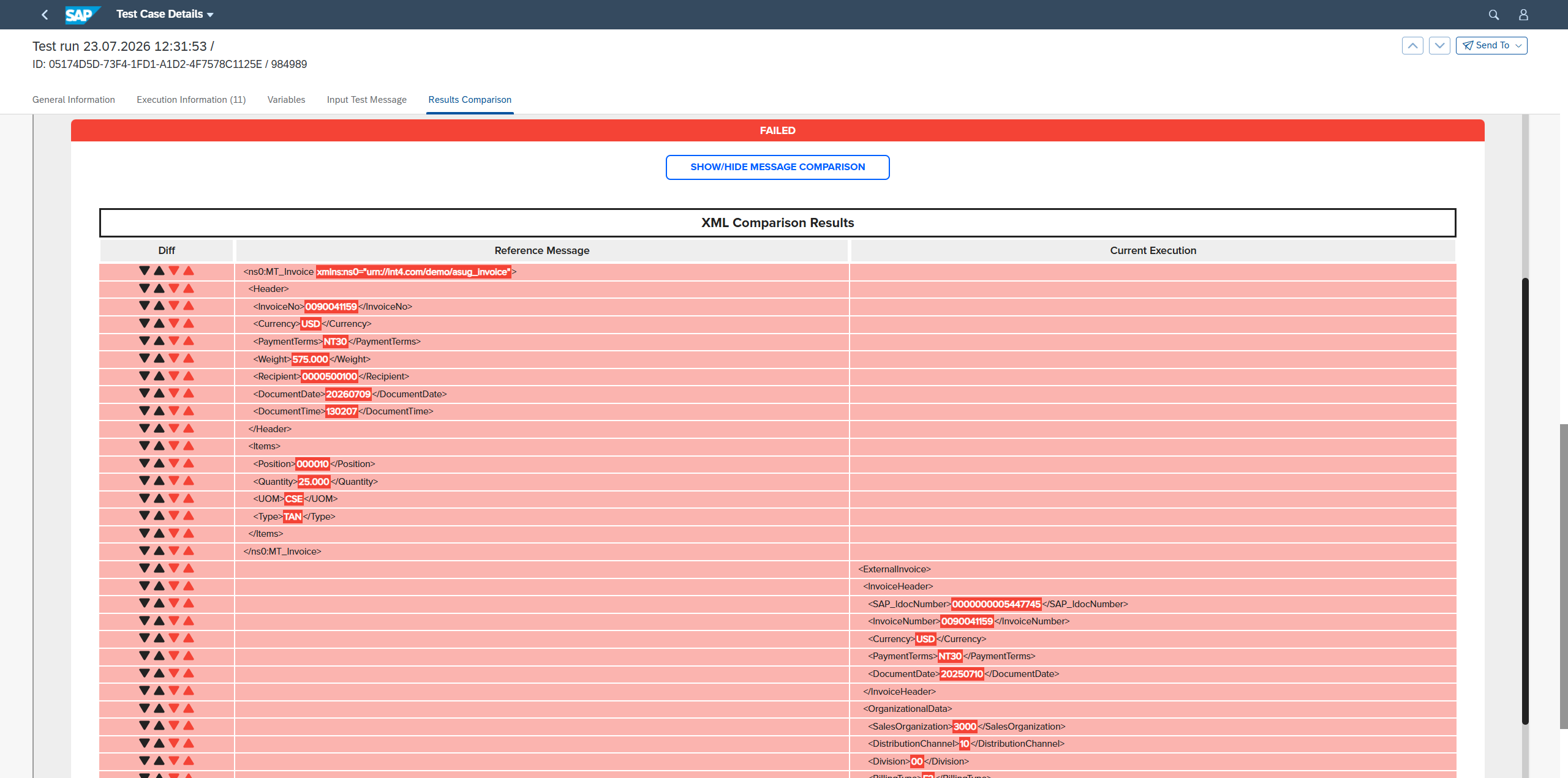
To avoid those situations we can use Payload Matching functionality on Automation Object.
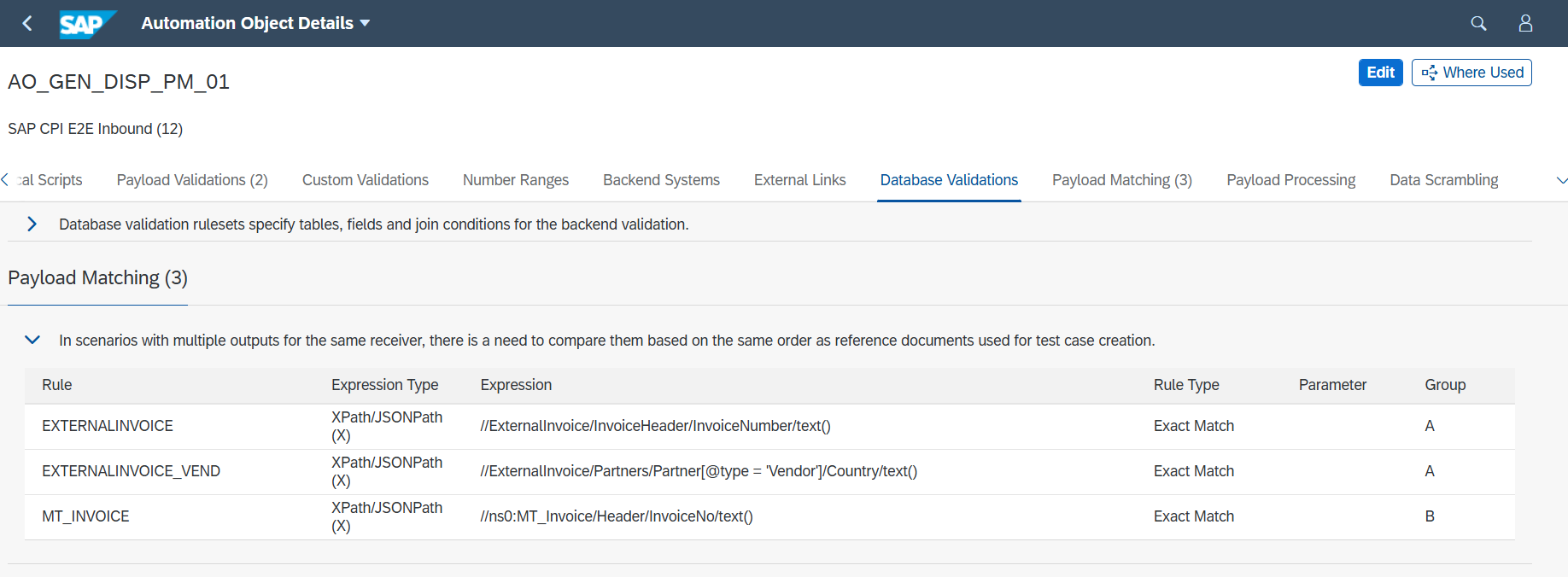
You can define rules for each message type. Using groups you can define multiple fields per one message type.
On above example, we can match messages for multiple group. For message ExternalInvoice there are 2 fields that message can be matched, that’s why those rules are in group “A“.
There is one field that we can match message MT_Invoice, because this is different message we introduced group “B“.
Summary
This page explains how Payload Matching resolves ambiguous output comparisons when multiple outputs are present. Matching rules are defined per message type, and fields can be grouped so that a single message type can be matched on multiple fields — for example, matching ExternalInvoice on two fields (grouped as "A"), while MT_Invoice is matched on a single field (grouped as "B"). A link to the full documentation on Payload Matching is provided for further detail.
More details can be found:
https://help.int4.com/int4-suite-knowledge-center-library/3.15/payload-matching