.png)
How to Install the Int4 Suite Add-On in SAP ABAP NetWeaver Using SAINT
This section describes how to install the Int4 Suite ABAP addon in ABAP Netweaver system.
Those activities should be done by Basis Expert.
-
Log in to the target SAP client and open SAINT
-
Log in to the SAP NetWeaver system/client where the add-on will be installed.
-
Open transaction SAINT.
-
This is the transaction used to install SAP add-ons and support packages.
-
Upload the add-on package archives from your frontend
-
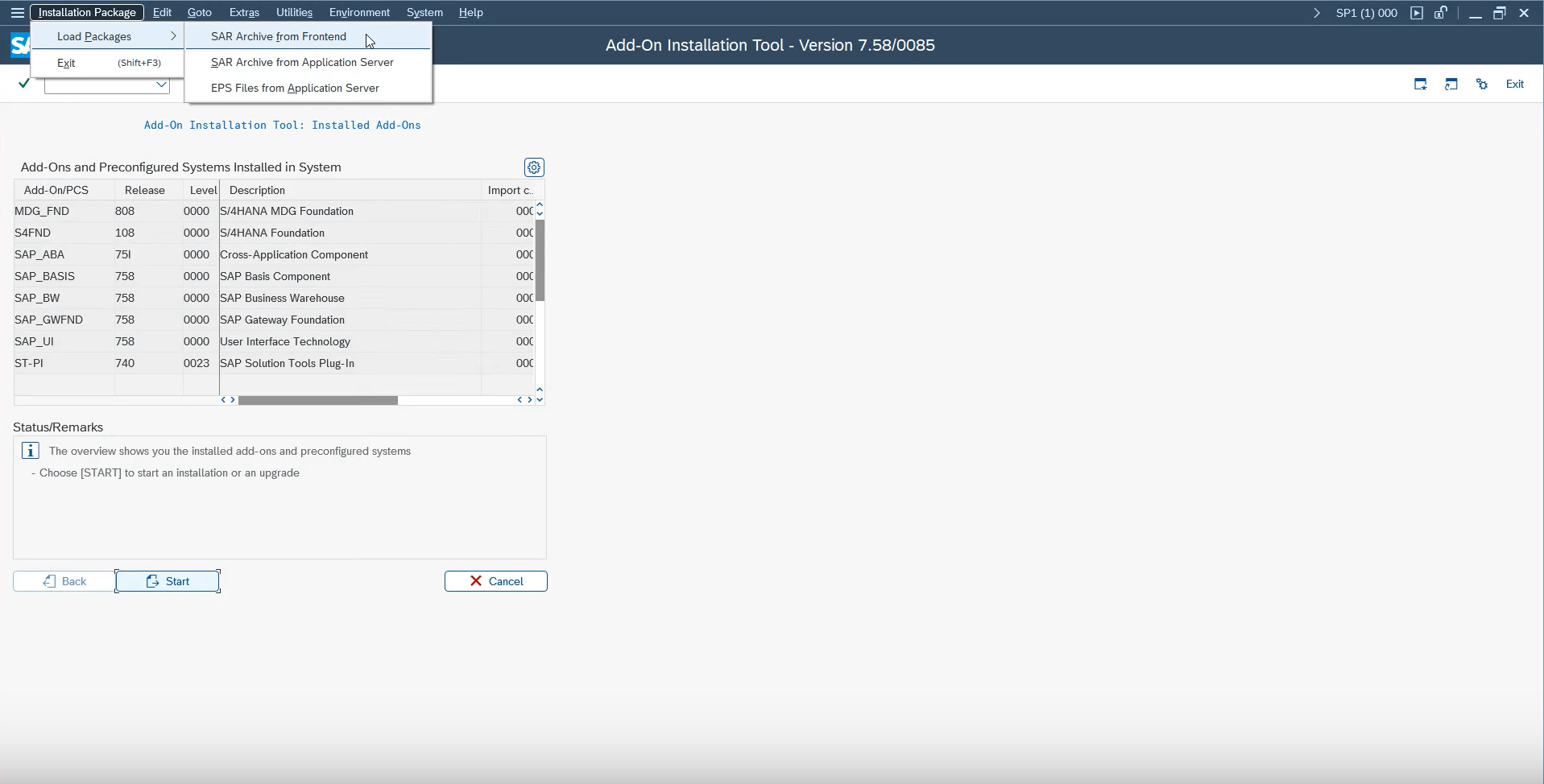
In SAINT, go to Packages.
-
Choose SAP archive from frontend.
-
Select the add-on archive files you received by email.
-
Upload the files one by one.
-
Wait for each upload to complete before moving to the next file.
-
Start the add-on installation in SAINT
-
In the add-on list, select Int4.
-
Click Continue.
-
Choose the highest package level available for your installation.
-
Click Continue again.
-
Verify the package list and proceed
-
Confirm that all required packages appear in the list.
-
If everything is present, continue with the installation.
-
When prompted about modification adjustment transports to the queue, choose No.
-
Run the installation and ignore warning messages
-
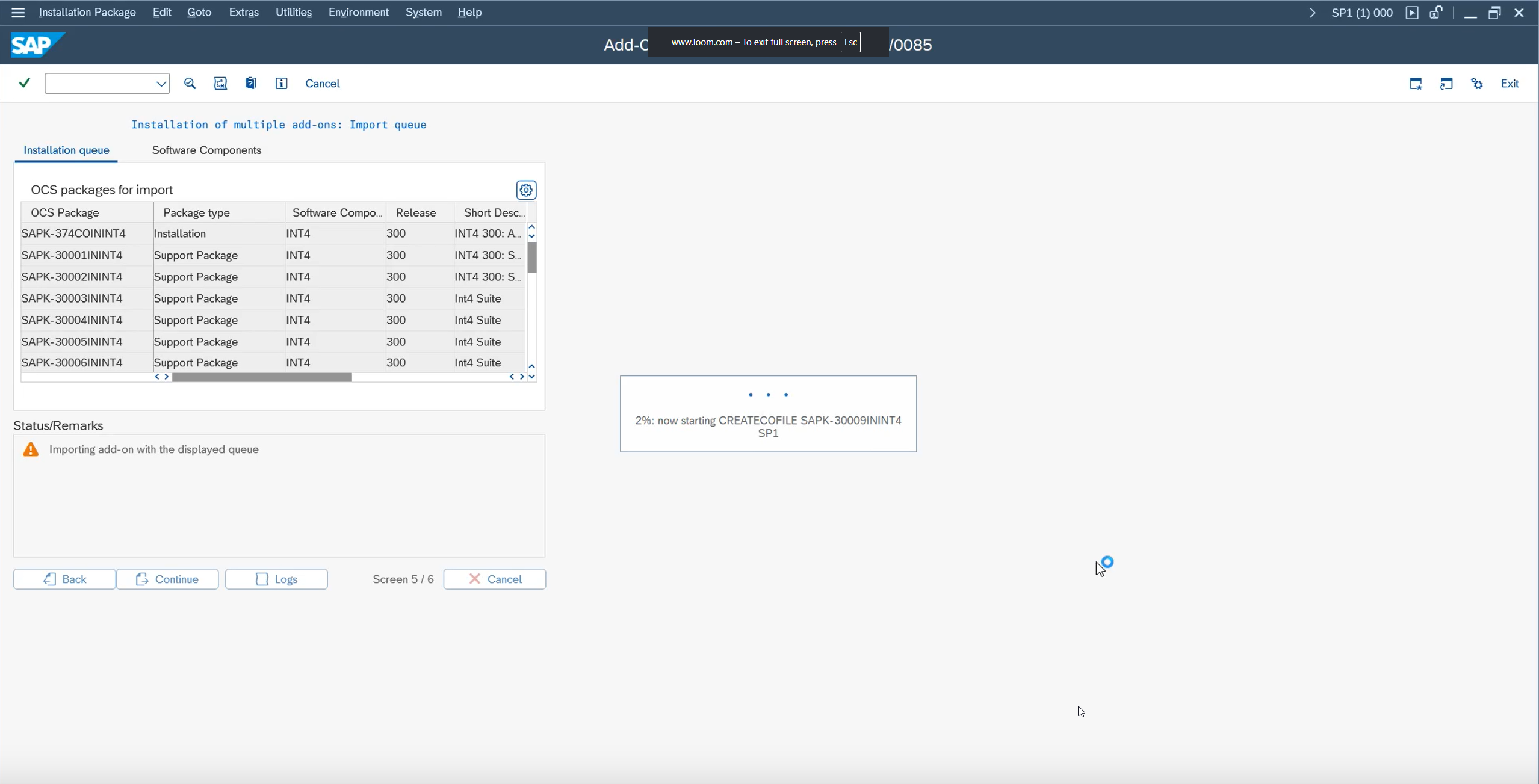
Start the installation process.
-
If warning messages appear, click Ignore.
-
Continue until the installation finishes.
-
Finish the installation and confirm success
-
Click Finish to complete the process.
-
Verify that the Int4 add-on is installed
-
Go to System → Status.
-
Open Details.
-
Confirm that Int4 appears in the installed components.
-
Contact support if you encounter issues
-
If you run into problems during installation, contact: Customer Success Representative
-
If you see a mismatch between the files and the component version, support can provide the correct component version ACP file.