.png)
-
Create a new environment in the configuration app
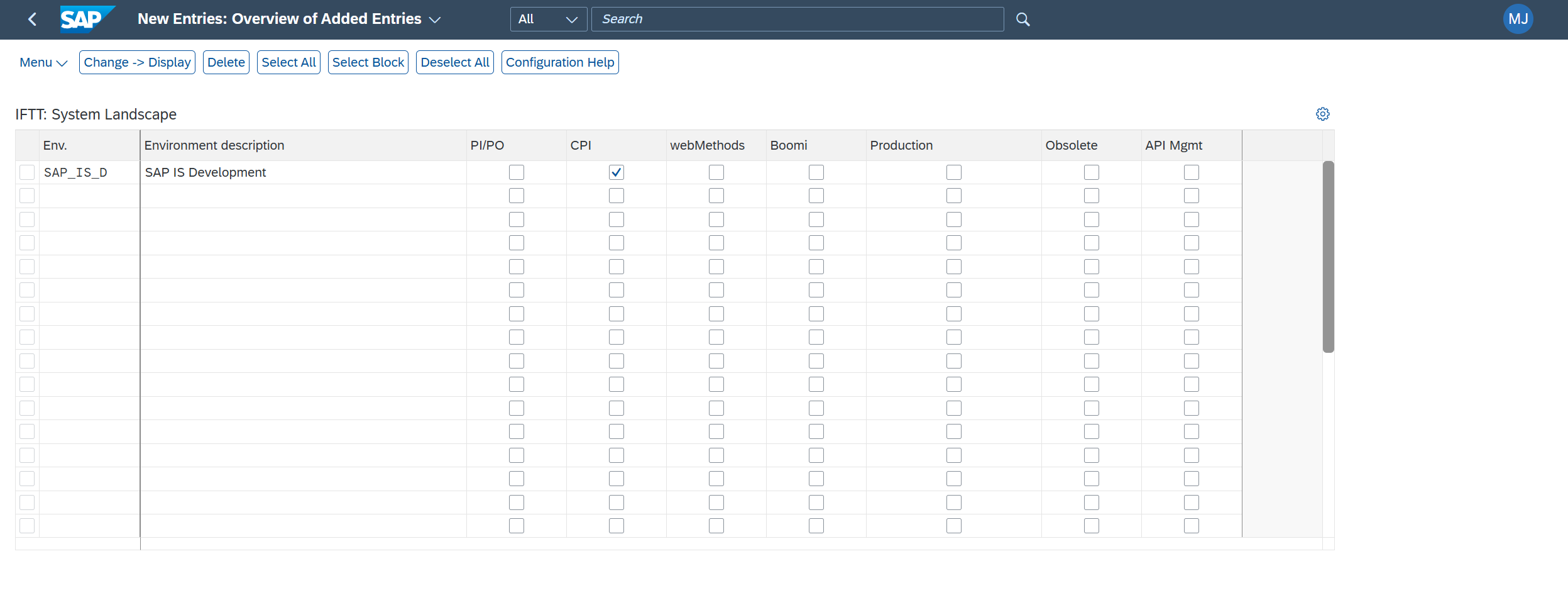
Open the Configuration app.
-
Go to Define Environments and add a new environment entry.
-
Enter the environment name and description.
-
Check the CPI checkbox.
-
If this is a production environment, also check Production; otherwise leave it unchecked.
-
Save the environment.
-
Create the RFC destination for the API token
This step should be done by Basis Expert or Security Expert.
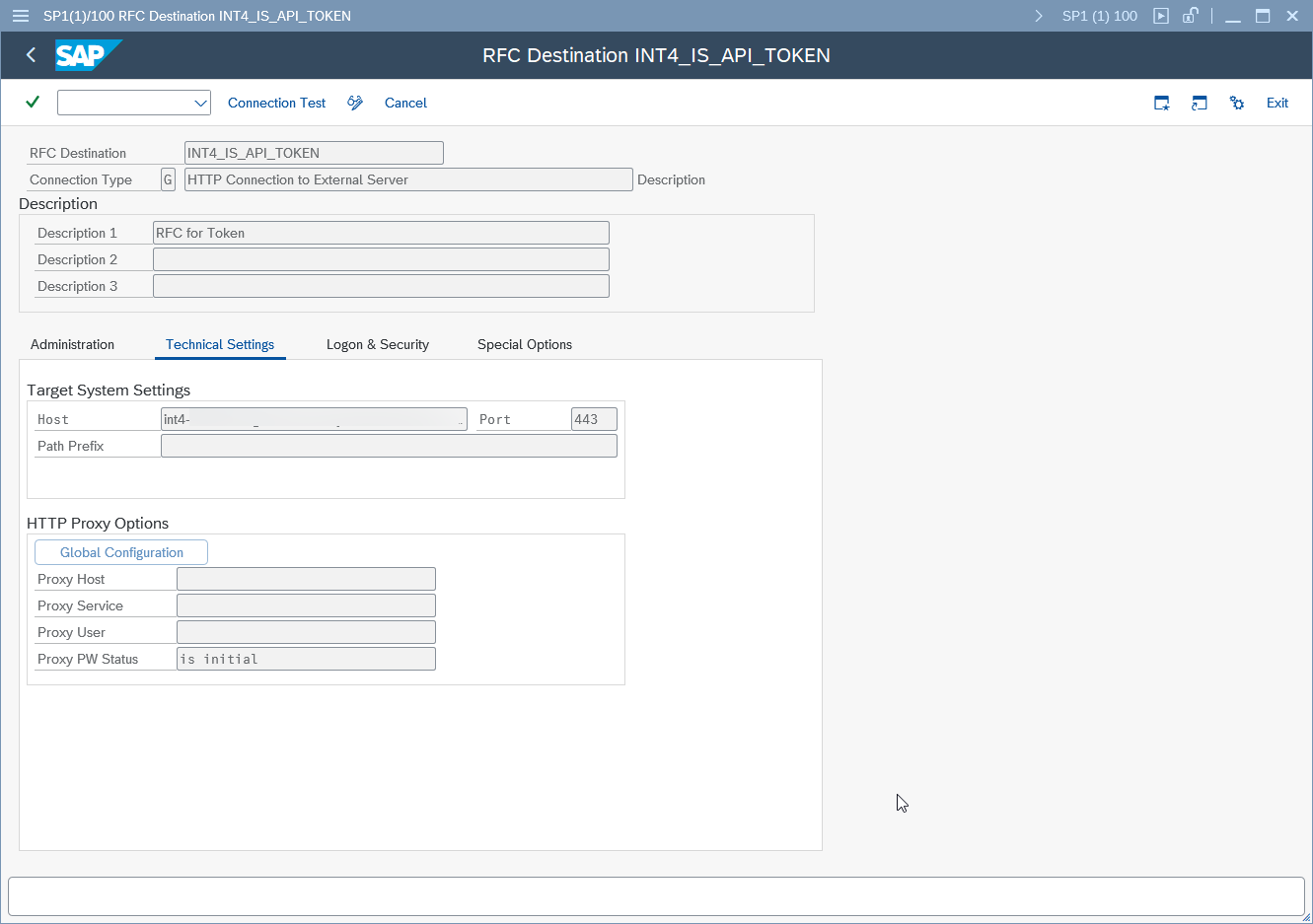
-
Open transaction SM59.
-
Create a new destination of type G.
-
Provide name.
-
Use the tokenurl host only, without https prefix and path.
-
Set authentication to Basic.
-
Use the client ID as the username and the client secret as the password.
-
Enable SSL and make sure the certificate is uploaded in STRUST (default SSL or anonymous container, depending on your setup).
-
Save the destination.
-
Create the RFC destination for API management
This step should be done by Basis Expert or Security Expert.
-
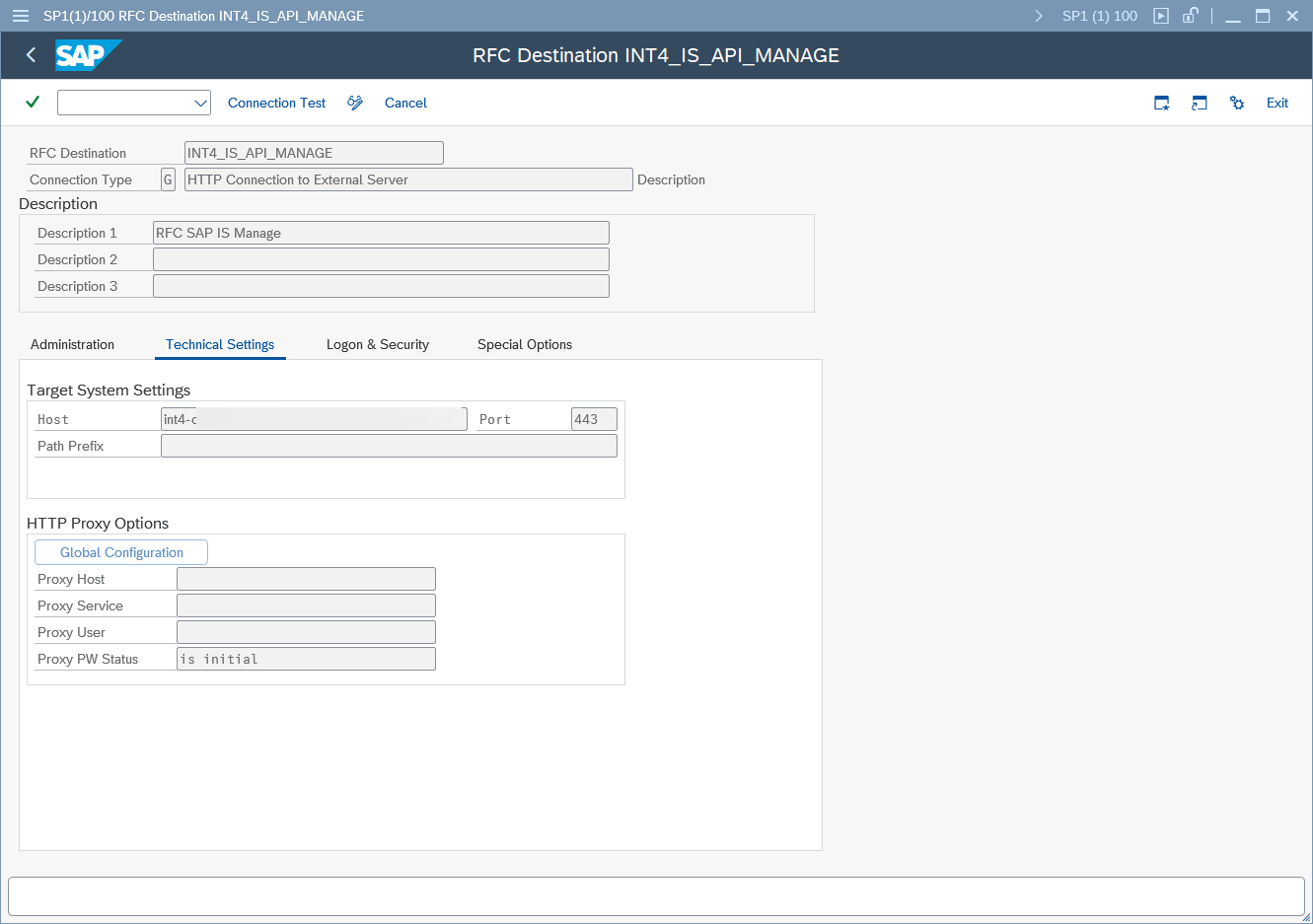
Create another SM59 destination of type G.
-
Follow the naming convention for the management destination.
-
Enter only the URL host and the required port.
-
No authentication is needed for this destination.
-
Enable SSL.
-
Save the destination.
-
Create the RFC destination for the Integration Flow runtime
This step should be done by Basis Expert or Security Expert.
-
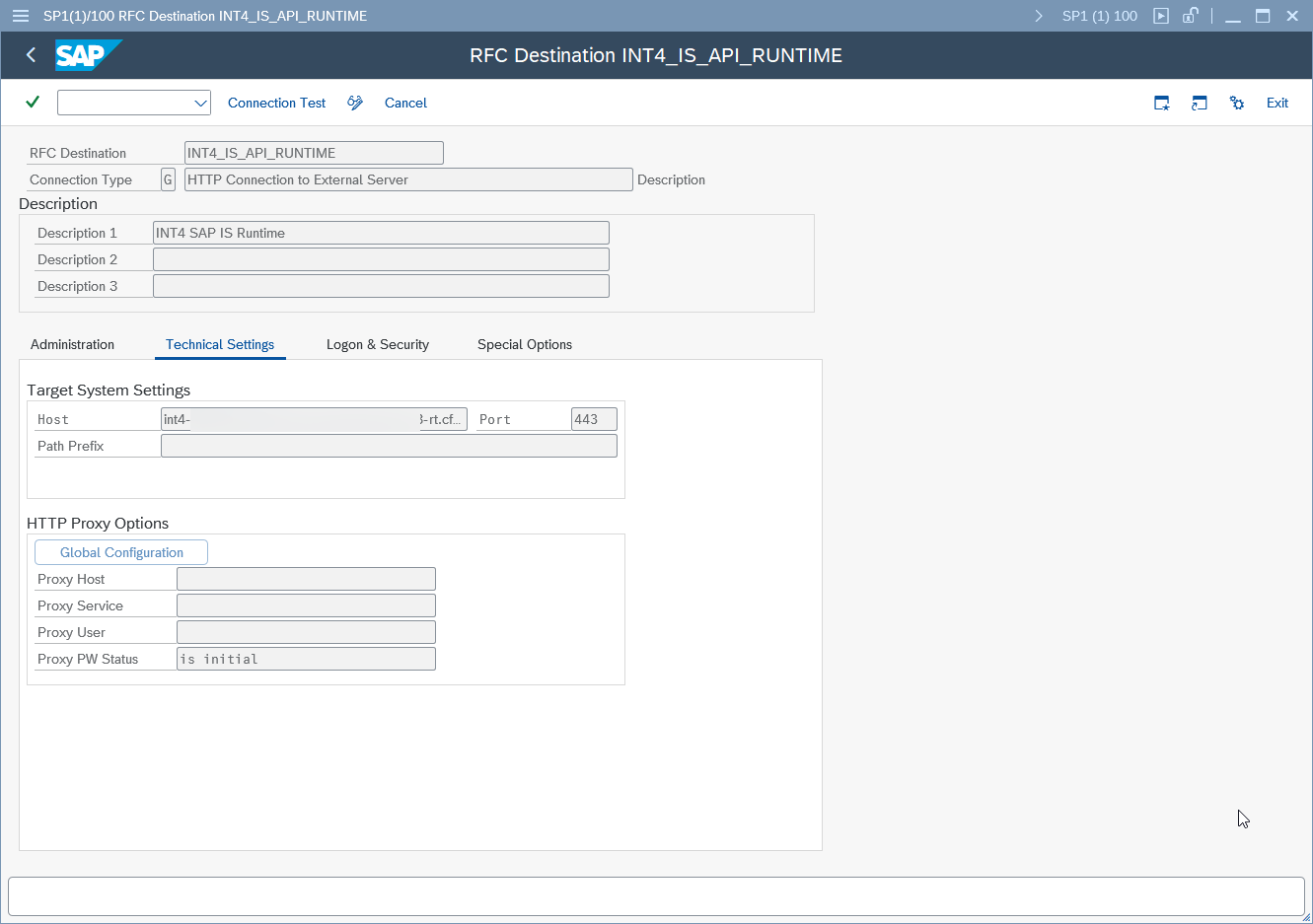
Create the third SM59 destination of type G.
-
Use the runtime endpoint for the integration-flow plan.
-
Enter the URL and port, you need to use url part from json.
-
Set authentication to Basic.
-
Use the client ID and client secret.
-
Enable SSL.
-
Save the destination.
-
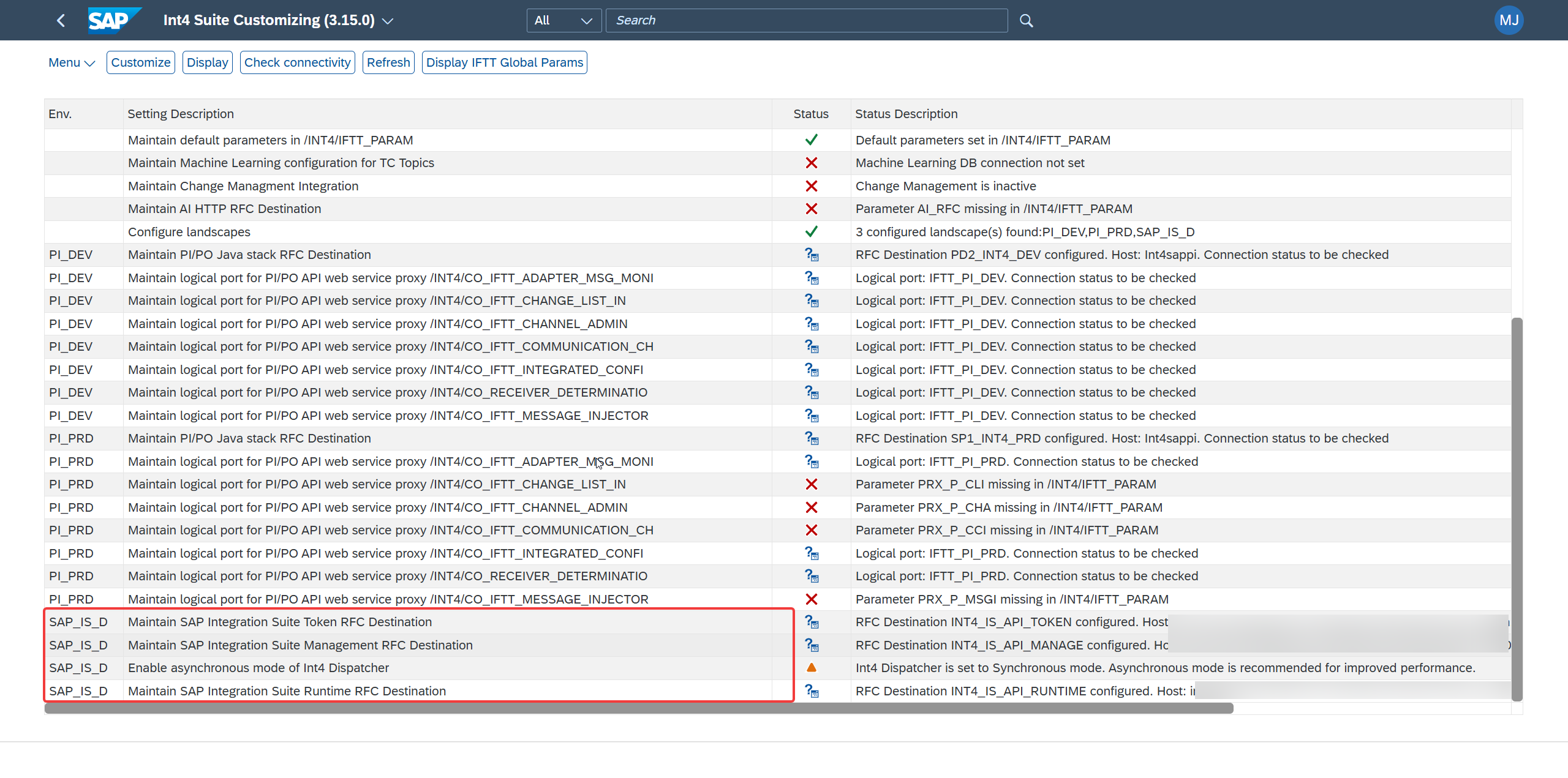
Assign the RFC destinations in INT4 and verify connectivity
-
Go back to the INT4 customizing area.
-
Open Customize and assign the existing RFC destinations.
-
Map the destinations for:
-
Token
-
Management
-
Runtime
-
-
For each destination, use Check Connectivity to confirm it works.
-
The video shows successful responses for all three destinations.
-
Once all checks pass, the SAP Integration Suite connectivity setup is complete.
For production environment only Token and Management RFCs are necessary.